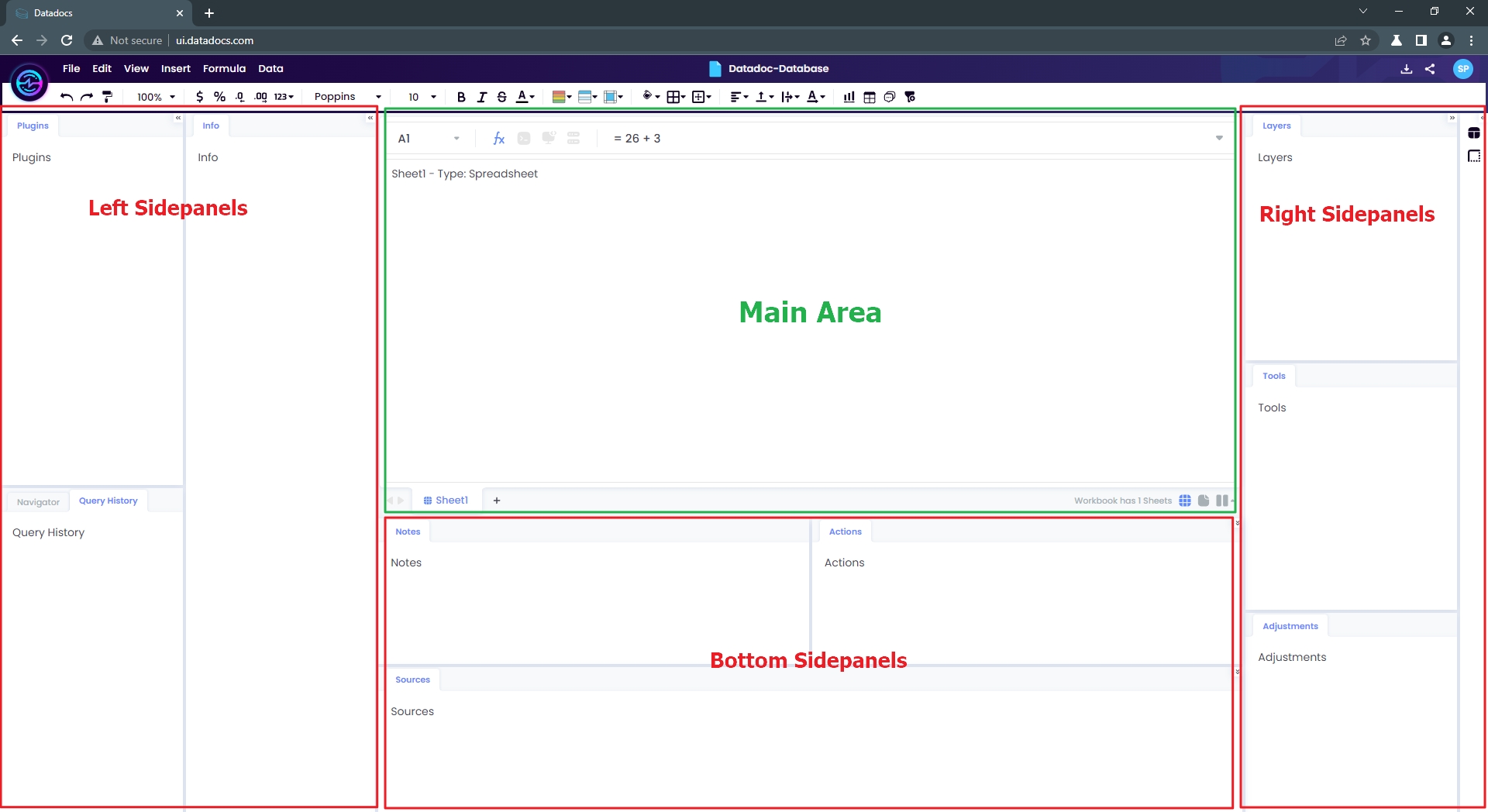
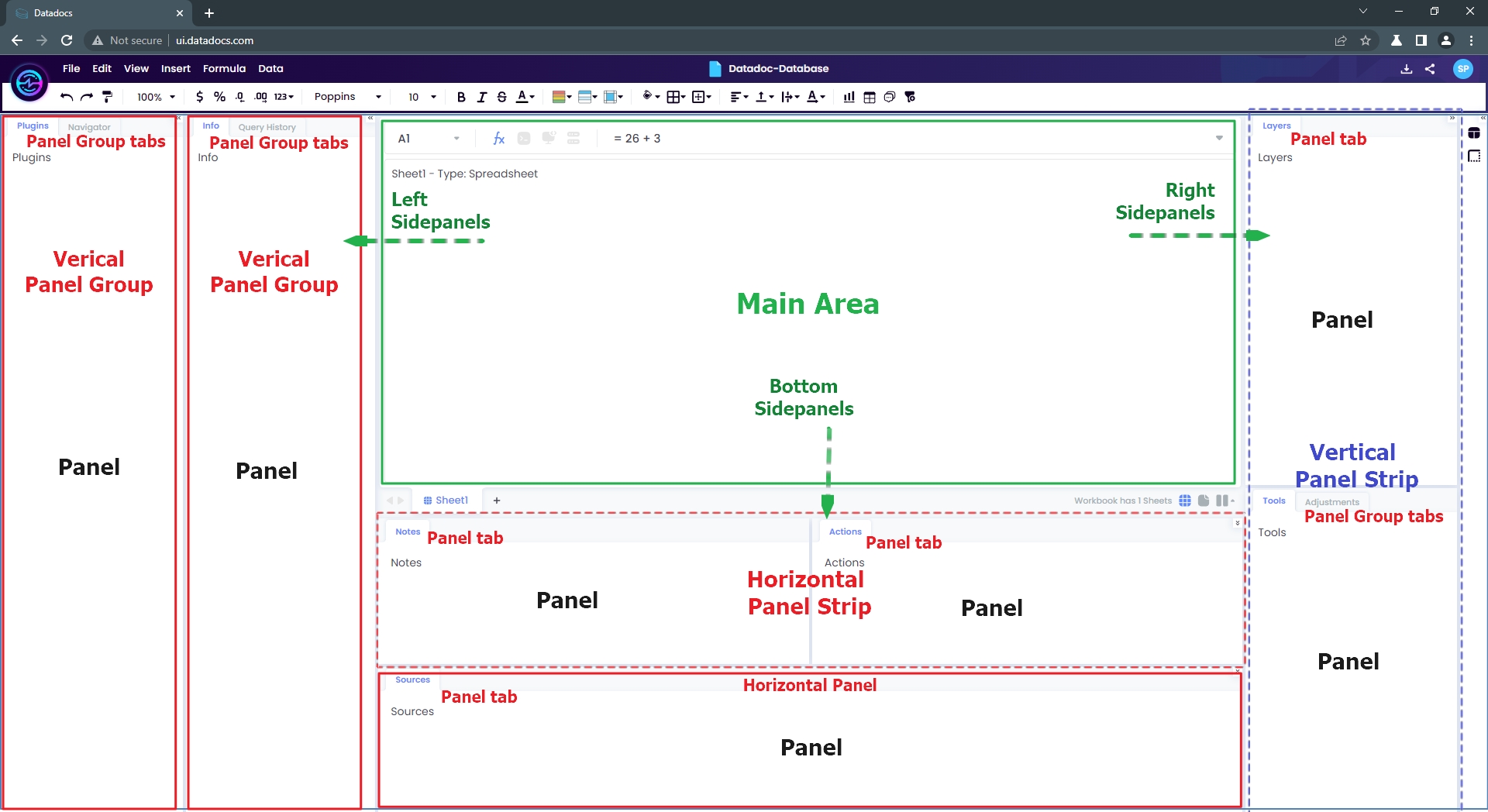
Panels Layout has the following sections
- Main Area
- Sidepanels
- Left Sidepanels
- Right Sidepanels
- Bottom Sidepanels
 ⠀
⠀
⠀
⠀
⠀
⠀
Panels
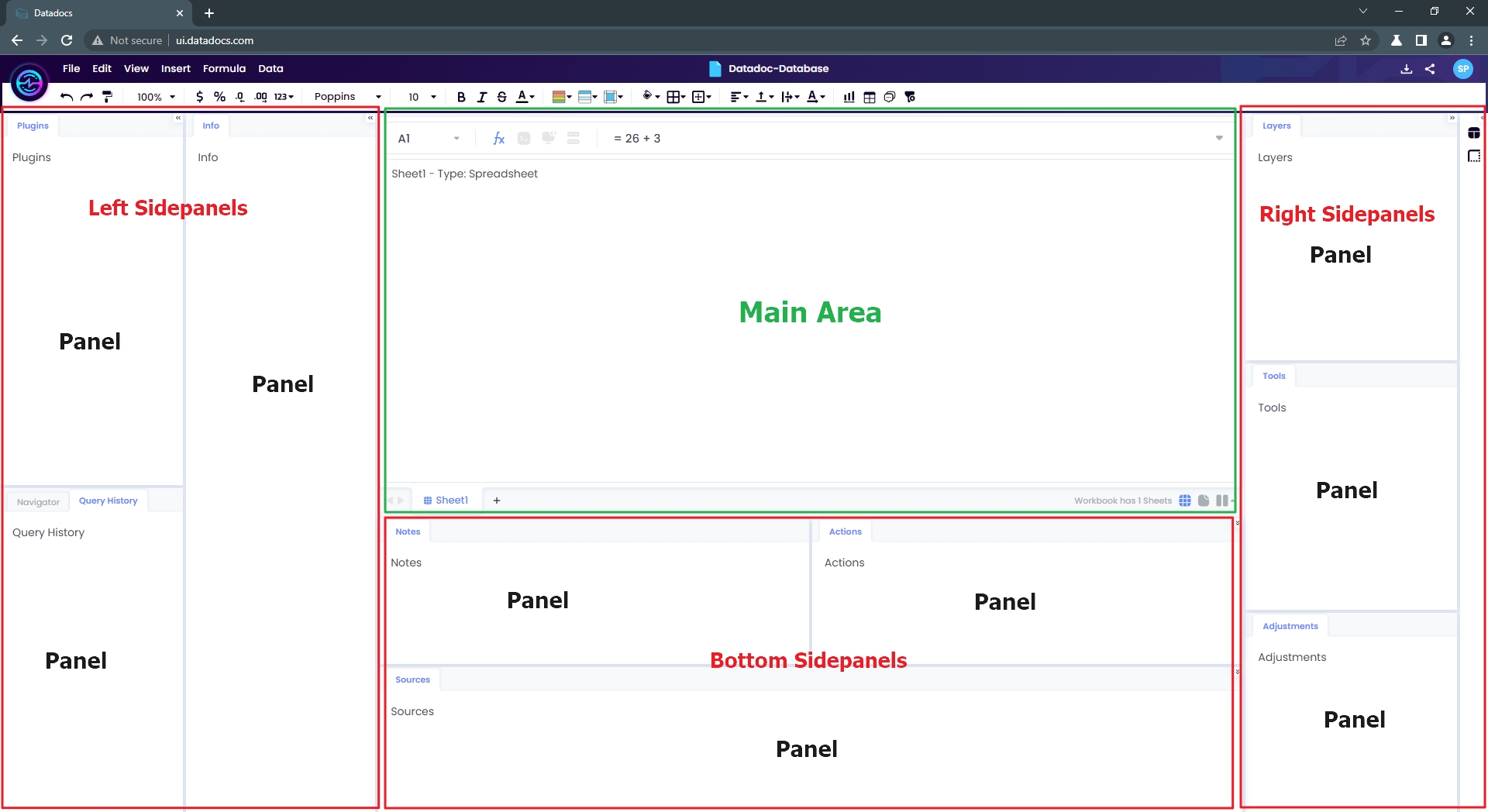
A Panel is the UI component which is rendered in any of the above Sidepanels. Following are the characteristics of a Panel
- Wraps a functionality/feature
- Can be placed any of Sidepanels in the Panels Layout
 ⠀
⠀
⠀
⠀
⠀
⠀
Panel and Panel Groups
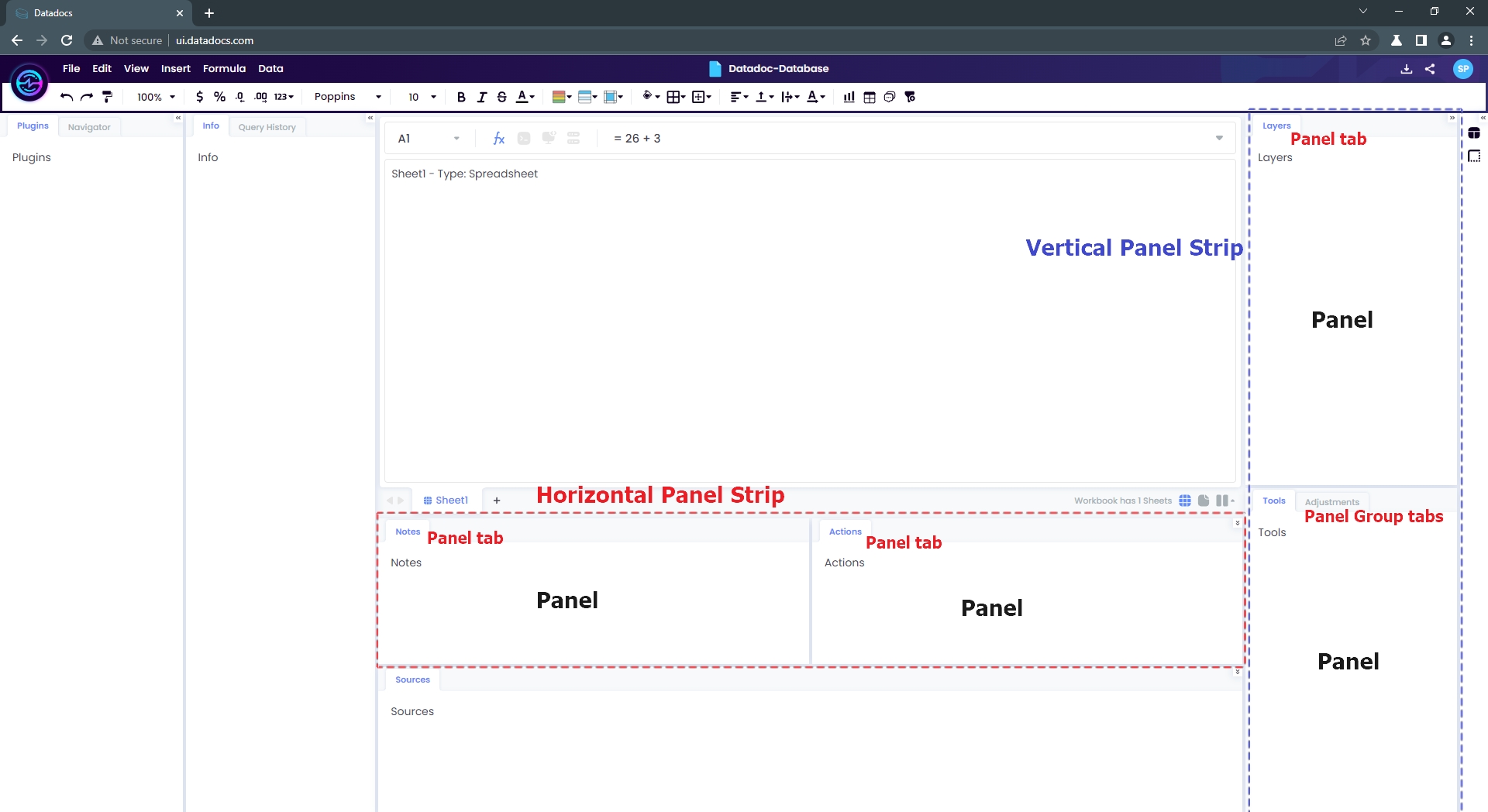
For displaying Panels tabbed UI is used for convenience. A Panel is displayed as a single tab, and a Panel Group as tab group.
 ⠀
⠀
⠀
⠀
⠀
⠀
Panel Strips
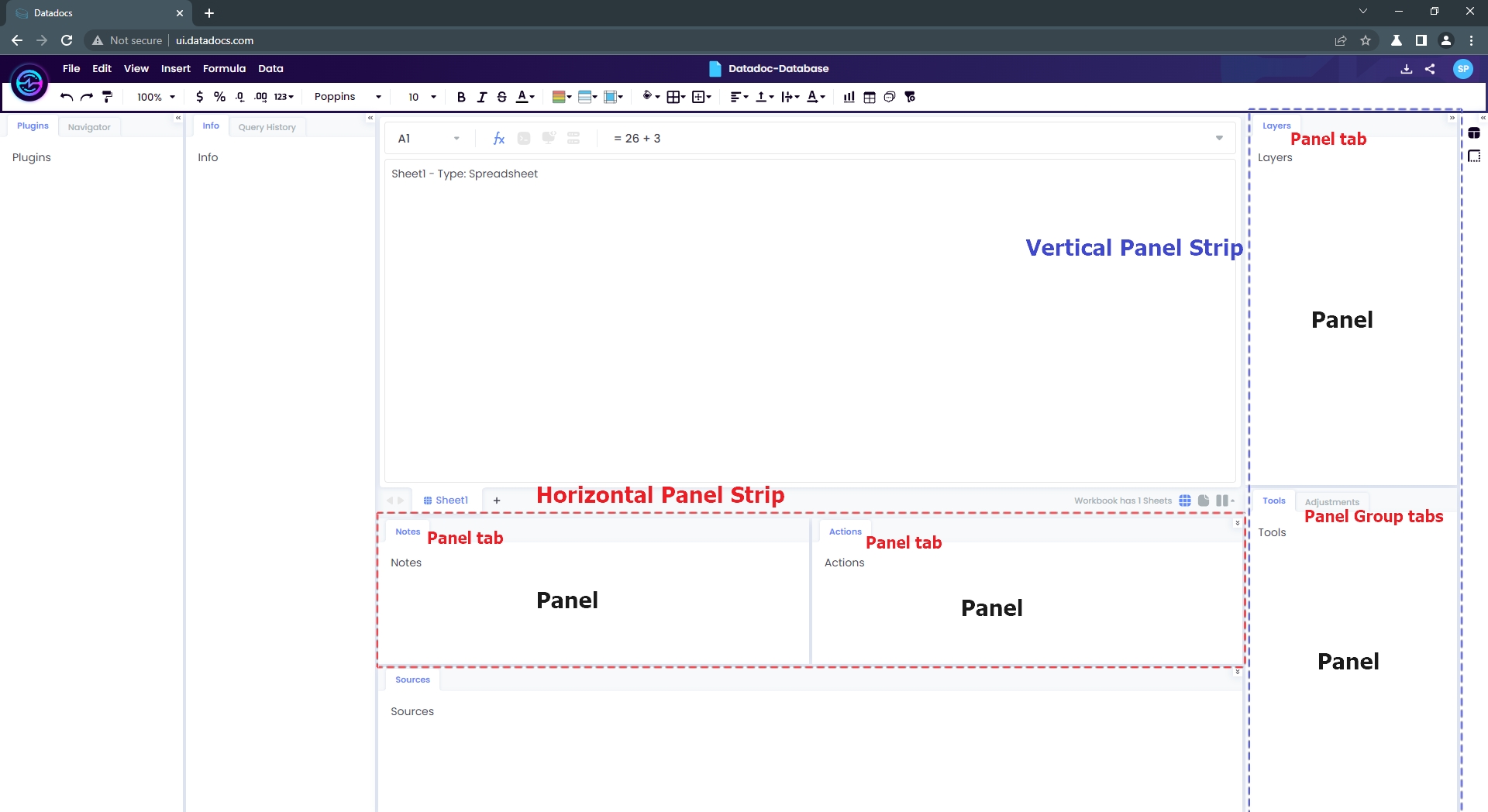
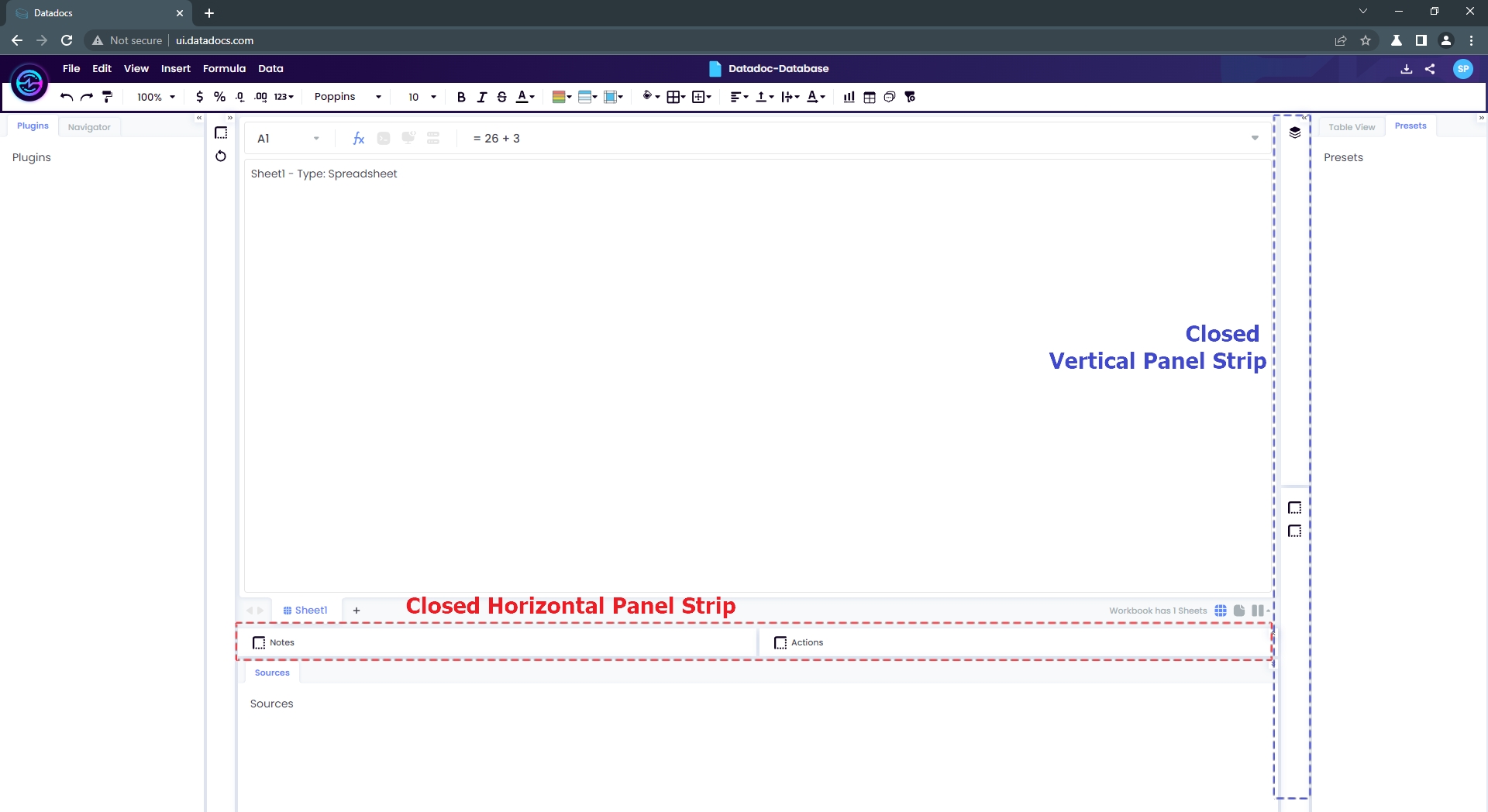
A Panel Strip is a group of Panels or Panel Groups. It can be created horizontally or vertically.
 ⠀
⠀
Closed Panel Strips
 ⠀
⠀
Workspace
Workspace is the final combination of Panels, Panel Groups and Panel Strips.
 ⠀
⠀
⠀
⠀
⠀
⠀